Dissecting and Defining the Rationale
-
Trigger to Post Automated Random Chatter Comment
Apex Trigger to post an automated random comment whenever a chatter post is published. When any user posts to chatter and if the user’s post contains the term “Success”, an automated comment should be posted. This comment should be randomly selected from a list of comments; And should be posted as a specific user.
-

Learn Salesforce Triggers with Examples and Scenarios
Learn Salesforce Apex Triggers with examples and scenarios by dissecting them line by line. This List of Salesforce Triggers is for beginners to practice and learn.
-
Convert Salesforce ID from 15 to 18 Characters
Enter the 15 character Salesforce Ids in the first text box (one per line) and click on the convert button to get the 18 character Salesforce Ids.
-
Trigger to Roll Up (Summary) Contacts field to Accounts
Trigger to Roll Up (Summary) Contacts field to Accounts. The Total Salary field should hold the sum of Salaries from its associated Contacts. The trigger should work whenever a Contact’s Salary is updated, New Contact is Created or when an existing Contact is deleted. Get a List of Accounts that needs to be updated. 1.…
-
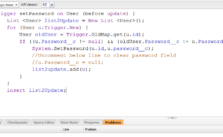
Manually Setup a Users Password in Salesforce
Manually Setup a Users Password in Salesforce using the Developer Console or the Workbench. Here’s a step by step method to setup the users password manually. Pro tip includes creating a user interface to setup new passwords manually.
-
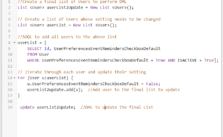
Changing Default Event Reminders in Users Settings For Multiple Users
Updating the “Set default event reminders to” or any other User Setting for multiple Users. Scenario: While creating an Event or Task in Salesforce, the “Reminder” Checkbox is checked by default for all users. The reminders have piled up and making it difficult to keep track of the important events and tasks. The Sales…
-
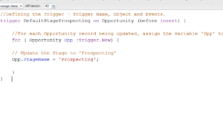
Trigger to change the Stage when Opportunity is Created – Triggers for Beginners
Salesforce Apex Trigger to change the Stage/default the stage to ‘Prospecting’ when an Opportunity is created. In other words, when an Opportunity is created by selecting any Stage, the Stage should default back to Prospecting.